
Blast Buddy XR Your stage. Full scale. In your headset.
Put on a Meta Quest and stand in the stage you built. Draw on the beep, shoot it the way you planned it, and watch the run played back with your time, your splits and every hit.
Free. Meta Quest 3 and 3S. Runs in the headset's browser, nothing to install.
Click the range to start. Shoot after the beep.
Run complete Personal best
0:00.00
- Targets
- 6/6
- Hits
- 0/0
- Accuracy
- 0%
- Best split
- -s
- A
- 0
- C
- 0
- D
- 0
That was a pointer. In the headset you draw, aim down the sight and move through the stage.
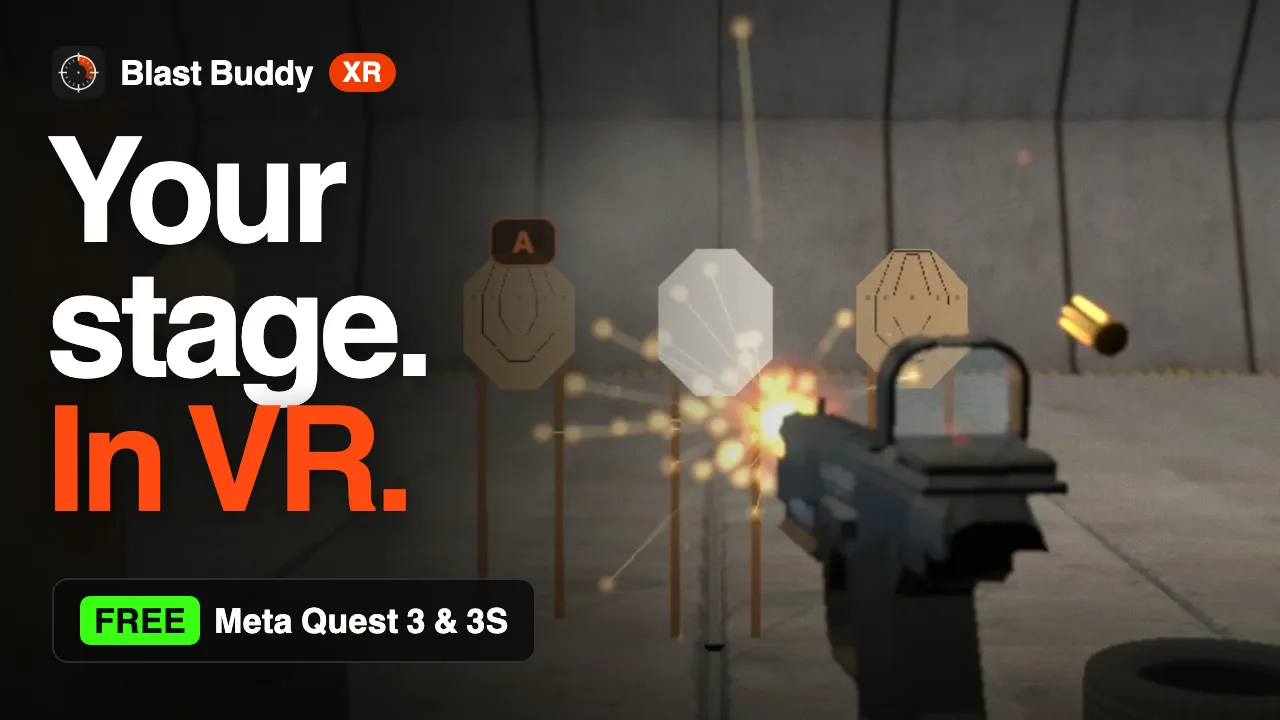
Three steps to the firing line.
Blast Buddy XR runs in the headset's own browser. There is no store page, no download and no update to wait for.
-
Build a stage
Lay out targets, walls and fault lines in the Blast Buddy app on your phone, or in the web app. Sign in with the same account and the stage follows you.
-
Open it in your Quest
Press Send to my Quest and the link goes to your headset's browser. Or type the address there yourself.You are already in the headset. Open the web app from here. Sign in with Apple or email.
-
Press Train
Open your stage, press Train and choose Virtual reality. Pick a scored run or the playground, choose how you start, then press Start VR.
It handles like a pistol, not a laser pointer.
One controller is the gun. The other is your support hand. The manipulations happen where they happen on the line: at the hip, at the belt, at the back of the slide.
On the controllers
- Trigger
- Draw, fire
- Right grip
- Magazine release
- Left grip
- Take a magazine, rack the slide
- A
- Slide stop
- B
- Menu
- Sticks
- Move, turn
- The draw
- The pistol waits in a holster on your strong-side hip. Reach down, pull it out and present. Bring it back to the hip, muzzle down, and it holsters.
- The sight
- A reflex sight rides the slide. The dot stays on the point of aim wherever your eye sits behind the glass, so you find it the way you do on your own gun.
- The reload
- Fifteen-round magazines, with spares on your belt. When the slide locks back, drop the empty with your right grip, take a fresh magazine with your left hand, push it home and release the slide.
- The start
- Four start conditions: holstered, gun on the table, unloaded with the magazine across the bay, or gun and magazine on separate surfaces.
- The gun
- Two pistols, the Blast Buddy competition pistol and a G17. Swap them from the menu without leaving the headset.
- Moving
- Left stick to move, right stick to turn. Walls stop you. Ports and windows let you lean in and shoot through them.
- Range mode
- Set a room-scale boundary and the stage sits around you at 1:1 with the start box under your feet. You cover it on foot, and the sticks only take over when you run out of room.
- Assisted reload
- Seated, or short on space? Switch it on and one press of the grip changes the magazine.
The beep comes when it comes.
After stand by, the headset waits between 1.5 and 3 seconds, at random, and the trigger is dead until the timer starts. The clock runs until every target on the stage has been hit.
Scored run
Beep, clock, results. When you are signed in the run is saved to your sessions, so the next one has something to beat.
Playground
No beep and no clock. Steel stands back up, magazines refill and you can work one position, one reload or one transition for as long as you like.
Every round can be called where it lands. Turn on Live HUD and the call pops up at the impact, while a panel on the back of the slide shows the clock, your rounds and your last split. Leave it off for a clean stage: the replay reads the hits back afterwards.
The stage is the one you built. IPSC and IDPA paper, half and mini targets, plates, poppers, stars, dueling trees and plate racks, swingers and targets on rails, walls with ports, doors, barricades, barrels and tyres. Poppers fall, plates ring, and the ring reaches you later from the far ones.
Three places to shoot it
A hall you walk through, an indoor range with a firing line, and an outdoor bay with earth berms on three sides. Choose one on the stage page before you start the run.
Then the stage plays your run back.
When the last target is hit the results come up, and behind them the run replays: every hit lands again in order, called at the point it struck.
- Time
- Your time on the stage, and the gap to your best run on it.
- Hits
- Targets engaged, hits out of shots fired, accuracy, and the A, C and D count.
- Splits
- A bar for every hit and your best split. The first bar is your draw.
- Per target
- What each target took and when you first hit it, with hit diagrams of where the rounds landed.
- History
- Best, average and number of runs on this stage, with your last runs side by side. A faster run is flagged as a personal best.
- Sessions
- Scored runs are saved to your sessions in the web app, marked VR, next to the ones from the real range.
What you need.
- A Meta Quest 3 or Quest 3S with both controllers.
- The Quest browser. Nothing to install.
- A Blast Buddy account. It is free.
- Clear floor around you. You will be moving with a headset on.
Blast Buddy XR uses WebXR, so other headsets with a WebXR browser and two tracked controllers may work. We have only tested Quest 3 and Quest 3S.
Questions
What is Blast Buddy XR?
Blast Buddy XR is the virtual reality mode of the Blast Buddy web app. It puts a stage you built in a Meta Quest headset at full scale, with a tracked pistol, a shot timer and a replay of your hits.
Is Blast Buddy XR free?
Yes. Blast Buddy XR is free. You sign in with a free Blast Buddy account to open your stages and save your runs.
Do I have to install anything?
No. It runs in the Meta Quest browser. Open app.blastbuddy.io in the headset, or send the link to your headset from this page.
Which headsets does it work on?
It is built and tested on Meta Quest 3 and Meta Quest 3S. It uses WebXR, so other headsets with a WebXR browser and two tracked controllers may work, but we have not tested them.
Do I need the Blast Buddy phone app?
No. You can build a stage in the web app. If you already use Blast Buddy on your phone, sign in with the same account and your stages are there in the headset.
Does it work with hand tracking?
No. You need both controllers. One is the pistol, the other takes magazines and racks the slide.
Where do my runs go?
Scored runs are saved to Sessions in the web app, marked VR, with the time, the hits and the A, C and D count. Playground practice is not saved.
Does it replace dry fire or live fire?
No. There is no recoil, and a controller is not your gun. It is for what a headset is good at: standing in a stage before you shoot it, deciding the order and the positions, and rehearsing the plan against the clock.
The stage is set. Put the headset on.
Blast Buddy is also the shot timer you take to the real range. See the app for iPhone and Android.